

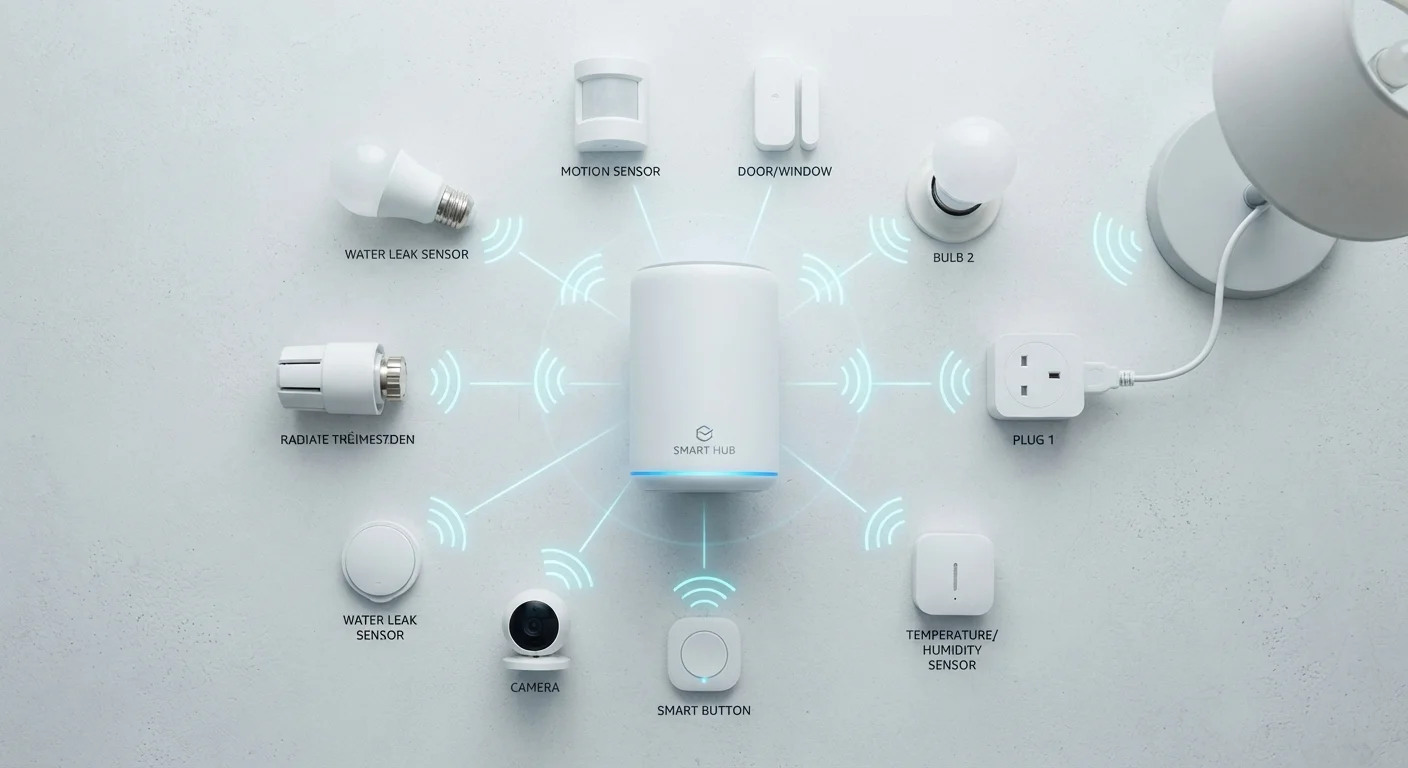
| Protocols covered | Zigbee, Z-Wave, Wi-Fi, Thread |
| Hub required | Yes for Zigbee and Z-Wave; Border Router for Thread; No for Wi-Fi |
| Mesh networking | Zigbee, Z-Wave, and Thread all use mesh topology |
| Lowest power draw | Zigbee and Z-Wave - suited to battery-operated devices |
| Thread connection to Matter | Thread serves as a primary transport layer for the Matter standard |
| Z-Wave US frequency | ~908 MHz - avoids 2.4 GHz congestion |
Why the Protocol Underneath Your Smart Device Matters
When you buy a smart plug, bulb, or sensor, the box usually lists a wireless protocol - Zigbee, Z-Wave, Wi-Fi, or Thread. These are not marketing labels; they are the technical standards that determine how a device talks to your home network and every other device around it. Choosing devices without understanding these protocols can lead to frustrating incompatibilities, dead zones, and devices that go offline unexpectedly.
Understanding the basics helps you build a more reliable, cost-effective setup - and makes sense of why some devices need a hub while others connect straight to your router. For a broader look at how these technologies fit together, see our guide to smart home ecosystems.
| Protocols covered | Zigbee, Z-Wave, Wi-Fi, Thread |
| Hub required | Yes for Zigbee and Z-Wave; Border Router for Thread; No for Wi-Fi |
| Mesh networking | Zigbee, Z-Wave, and Thread all use mesh topology |
| Lowest power draw | Zigbee and Z-Wave - suited to battery-operated devices |
| Thread connection to Matter | Thread serves as a primary transport layer for the Matter standard |
| Z-Wave US frequency | ~908 MHz - avoids 2.4 GHz congestion |
The Four Protocols, Explained
Zigbee
Zigbee operates on the 2.4 GHz radio band and uses a mesh network architecture, meaning each Zigbee device acts as a signal repeater for others nearby. This design gives Zigbee excellent range across a full home and strong reliability indoors. Zigbee devices use very little power - which is why battery-operated sensors and locks often use it. A dedicated hub or coordinator is required to translate Zigbee signals to your home network. Interoperability between manufacturers has historically been inconsistent, though this is improving with newer standards.
Z-Wave
Z-Wave runs on a lower radio frequency (around 908 MHz in the US), which helps it pass through walls more easily and avoid the congestion common on the 2.4 GHz band. Like Zigbee, it uses a mesh topology and requires a hub. Z-Wave has a strict certification process, which has historically made cross-brand compatibility more predictable. It supports up to 232 devices per network, a ceiling that matters more in commercial than residential settings.
Wi-Fi
Wi-Fi smart devices connect directly to your home router - no hub required. This simplicity makes setup fast, and because most households already have Wi-Fi, the hardware cost is lower upfront. The trade-off is that every Wi-Fi device adds to your router's load. In busy homes, a growing number of smart devices can contribute to network congestion. For more on how that plays out, see why Wi-Fi slows down when everyone's home. Wi-Fi devices also tend to draw more power than Zigbee or Z-Wave, making them a poorer fit for battery-operated hardware.
Thread
Thread is a newer mesh protocol built on the same low-power principles as Zigbee but designed from the ground up for the Internet Protocol (IP) - the same foundational language the internet uses. This makes Thread devices easier to route data between and sets the stage for better cross-brand compatibility. Thread requires a Thread Border Router, a device that bridges the Thread mesh to your IP network; several smart speakers and hubs now include this function. Thread is a core transport layer for the Matter standard, which is designed to reduce compatibility headaches across ecosystems.
Mesh network
A network topology where each device relays signals for other devices nearby, extending coverage without requiring every node to connect directly to a central hub. This makes mesh protocols more resilient and better at covering larger homes.
Hub / Coordinator
A central hardware device that translates signals from a smart home protocol (such as Zigbee or Z-Wave) into a format your home network can process. Without a compatible hub, these devices cannot connect to apps or voice assistants.
Thread Border Router
A device that bridges a Thread mesh network to an IP-based home network, enabling Thread devices to communicate with the internet and with devices on other protocols. Many modern smart speakers and hubs include this function.
Matter
An application-layer standard designed to allow smart home devices from different manufacturers to work together more reliably. Matter can run over Wi-Fi, Thread, and Ethernet, and is supported by major platforms including Apple, Google, and Amazon.
Radio frequency band
The range of electromagnetic frequencies a wireless protocol uses to transmit data. Different bands have different properties: lower frequencies (like Z-Wave's ~908 MHz) penetrate walls better, while higher frequencies (like 2.4 GHz) carry more traffic but face more congestion.
Comparing the Four Protocols Side by Side
| Protocol | Frequency | Hub Needed? | Mesh? | Typical Use |
|---|---|---|---|---|
| Zigbee | 2.4 GHz | Yes | Yes | Bulbs, sensors, locks |
| Z-Wave | ~908 MHz | Yes | Yes | Security, locks, thermostats |
| Wi-Fi | 2.4 / 5 GHz | No | No | Appliances, cameras, plugs |
| Thread | 2.4 GHz | Border Router | Yes | Sensors, newer smart devices |
No single protocol is universally superior. Many households end up using more than one, depending on which devices they own. If devices in your home frequently go offline, the protocol and network architecture are often contributing factors - something covered in detail in our article on why smart devices keep going offline.
232
Maximum devices per Z-Wave network
Z-Wave's specification caps a single network at 232 nodes - ample for residential use but worth knowing for larger deployments.
2.4 GHz
Shared band for Zigbee, Thread, and Wi-Fi
All three protocols share the crowded 2.4 GHz band, which can cause interference in dense device environments without careful channel management.
Practical Guidance for Families
Before purchasing any smart device, check which protocol it uses and whether you already have the infrastructure to support it. If you are starting from scratch, choosing devices within a single ecosystem - one that uses a consistent protocol - tends to produce fewer headaches than mixing freely.
- For battery-powered devices (door sensors, motion detectors, leak sensors): Zigbee or Z-Wave will typically serve you better than Wi-Fi due to lower power draw and longer battery life.
- For high-bandwidth devices (cameras, video doorbells, smart displays): Wi-Fi is generally the practical choice, since these devices need more data throughput than mesh protocols provide.
- For future-proofing: Devices that support Thread and Matter may offer more flexibility as those standards mature and gain broader adoption.
Before setting up any new devices, it helps to prepare your network properly. Our smart home network setup checklist walks through router placement, bandwidth considerations, and security settings to address before unboxing anything. If you are considering smart appliances specifically, our article on smart appliances in the family home offers an honest look at what Wi-Fi connectivity does and does not deliver in practice.